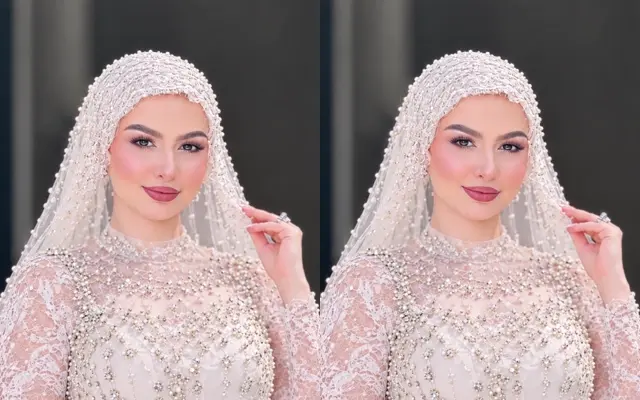
Generator specifications
The playback example and the configured output can have different durations and dimensions. These are the settings submitted when you generate.
| Parameter | Configured value |
|---|---|
| Input required | 1 photo: Portrait of the wearer. JPG, PNG or WebP · up to 10 MB each. |
| Output format | 9:16 vertical MP4, 720p, 10 seconds |
| Audio included | Original scene audio may vary; no licensed trend track is included. |
| Prompt needed | None; the preset supplies the scene direction. |
| Generation time | Allow several minutes; queue and processing times vary. |
| Pricing / credits | 130 credits per generation; entry pack $8.99 or monthly plans from $29/month. No free trial. |
Which photos work for Wedding Dress Transformation AI?
Use a clear adult portrait with visible shoulders. Check the veil at the hairline and the continuity of the dress during the turn.
How to generate and review the video
Sign in, confirm the 130-credit charge and select Generate. Upload order controls who plays each role.
Play the full result before downloading. Check that each subject stays recognizable through the main movement, not just in the first frame.
Origin of the Wedding Dress Transformation Trend
AI bridal portraits circulated on TikTok in November 2026, including among Egyptian creators. One format showed a bridal portrait first and revealed the chat that created it later. The original activity was a virtual gown try-on using a selfie, sometimes with a dress reference.
A historical report (not independently verified) estimated 911,200 views and 81,900 likes for a November 14 example as of November 18, 2026.
How is ViralVideoAI.app different from using Kling or Runway directly for this trend?
ViralVideoAI.app opens Wedding Dress Transformation AI with its scene direction and photo roles already selected. In a general-purpose workflow you choose the shot and motion settings yourself; this preset trades that control for a fixed 10 s · 720p · 9:16 workflow.
Can I use the sound from the trend?
The preset does not attach a licensed social track. If a sound is available for your account and intended use, add it in the platform editor and align the key action with the beat.